

For every conversation
-
 Travel JA 替え玉はいかがですか?Would you like an extra serving of noodles?
 -
 Family TR Biraz daha dolma ister misin?Would you like some more dolma?
 -
 Work DE Diese Maschine läuft rund um die Uhr.This machine runs around the clock.
 -
 Living abroad KO 이 서류를 작성해 주세요.Please fill out this form.
No new iPhone needed
Apple’s Live Translation needs the newest devices. This works on the ones you have.
Tap. Point. Listen.
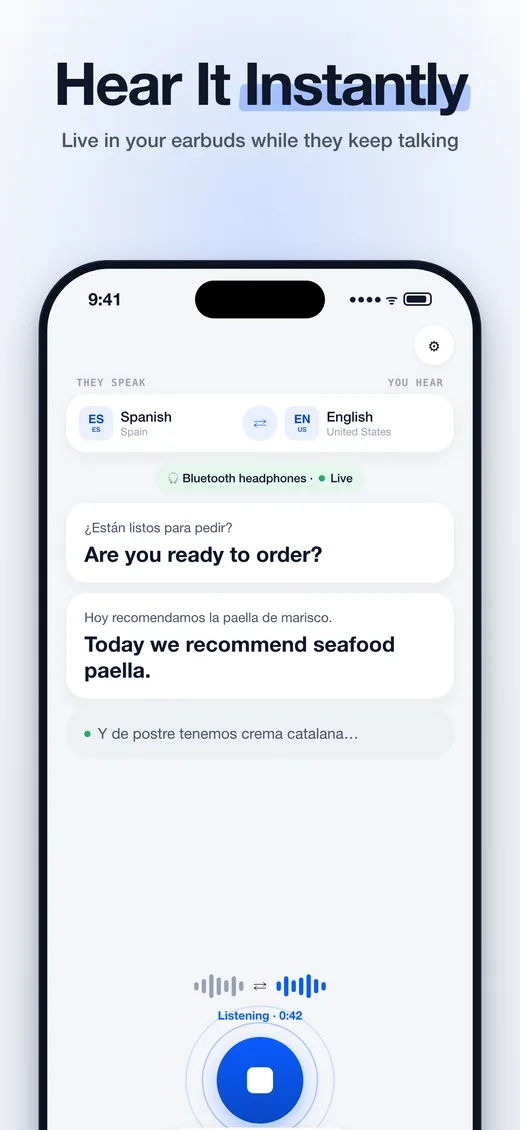
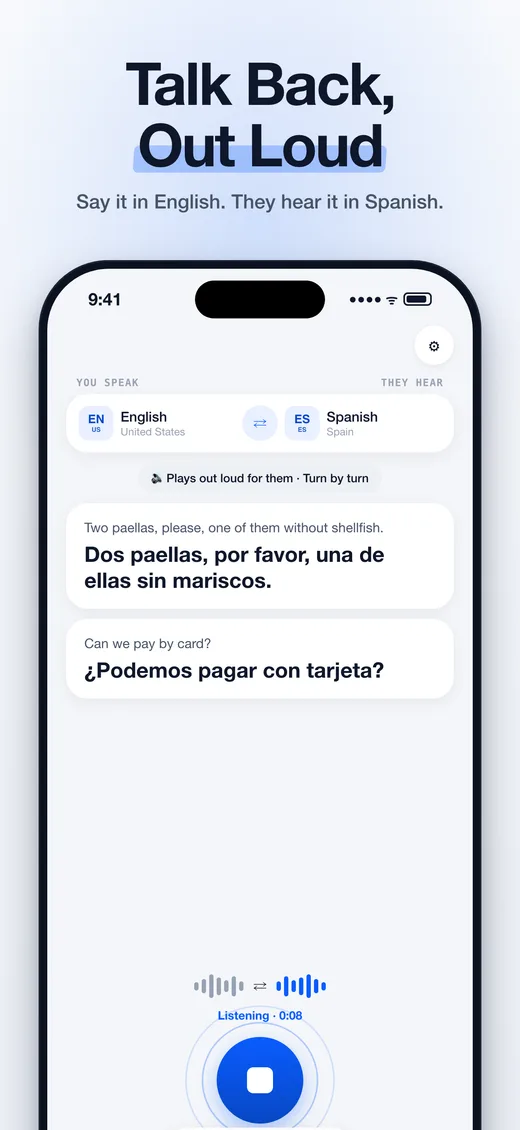
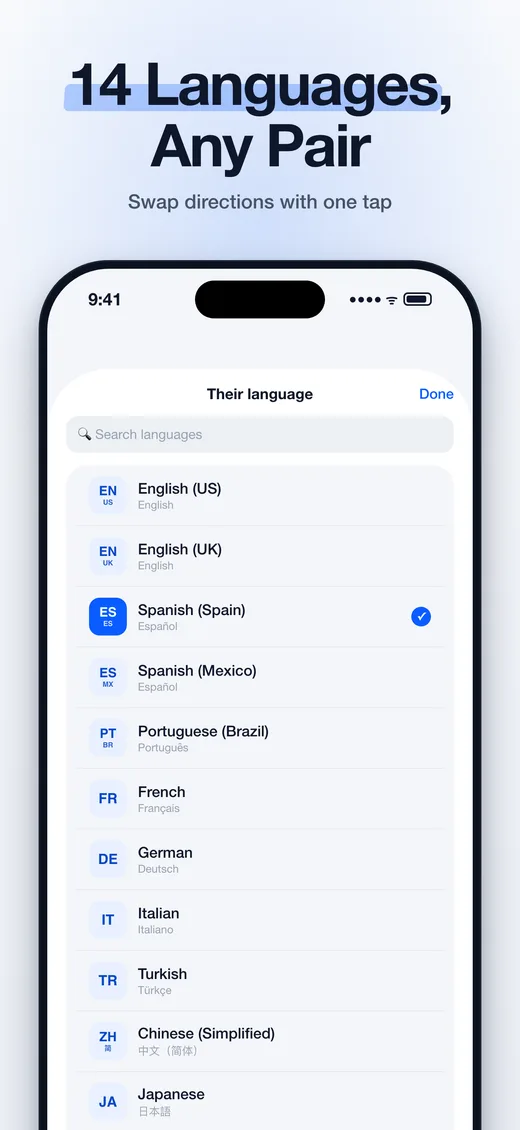
14 languages. Both ways.
Highlighted: languages Apple’s AirPods feature doesn’t cover (it has 11).
Private by design
- On deviceAudio never leaves your iPhone
- No accountNo sign-up, no email
- OfflineWorks without a connection
Live translation guides
- Live Translation on AirPodsAirPods Live Translation: which AirPods work, the 11 languages, how to start it with the stems, Siri or Translate, and what to do if your AirPods are older.Read the guide
- Apple Live Translation, explainedApple Live Translation explained: how it works, which iPhones, AirPods and 11 languages it supports, EU status, setup steps, and what to do if yours can’t.Read the guide
- Live Translation LanguagesLive Translation languages: the 11 Apple supports with AirPods, the 14 in Live Translation on Headphones, how to download them, and what neither one covers.Read the guide
- Live Translation on iPhone: Which Models WorkLive translation on iPhone: every model from iPhone XS to iPhone 18 Pro, which ones get Apple’s feature, how to turn it on, and what to use if yours can’t.Read the guide
- AirPods 4 Live Translation: ANC vs StandardLive Translation works on AirPods 4 with ANC, not standard AirPods 4, AirPods 3 or AirPods 2. How to check your model, and what to do if yours isn’t supported.Read the guide
- AirPods Live Translation not working? 11 fixesAirPods Live Translation not working? Check your AirPods model, iPhone, iOS, firmware, Apple Intelligence and languages. Step-by-step fixes with Settings paths.Read the guide
- Live Translation on AirPods Pro 2Do AirPods Pro 2 have Live Translation? Yes, with an iPhone 15 Pro or later on iOS 26. See which iPhones work, how to set it up, and Pro 2 vs Pro 3.Read the guide
- Live Translation on iPhone 13Live Translation on iPhone 13, 13 mini, 13 Pro and 13 Pro Max: why Apple’s feature is missing, what still works, and how to hear translations in AirPods.Read the guide
Questions
Does it work with my AirPods?
Yes. Every AirPods model works, from AirPods 2 to AirPods Pro and AirPods Max, plus Beats and any other Bluetooth or wired headphones.
Which iPhones can use it?
Any iPhone with iOS 18.0 or later. Apple’s built-in Live Translation needs an iPhone 15 Pro or newer with Apple Intelligence; this app does not.
Is this Apple’s Live Translation?
No. Apple’s Live Translation is a feature of iOS 26 for certain iPhones and AirPods. Live Translation on Headphones is an independent app that brings live translation to more iPhones and headphones, using Apple’s on-device speech and translation technology.
Does it work offline?
Yes. iOS downloads each language once. After that, listening, translating and speaking all happen on your iPhone, with or without a connection.
Which languages are supported?
14 languages in any direction: English (US), English (UK), Spanish (Spain), Spanish (Mexico), Portuguese (Brazil), French, German, Italian, Turkish, Chinese (Simplified), Chinese (Traditional), Japanese, Korean, Arabic.
Can the other person hear the translation?
With headphones, only you hear it. To answer, switch to the Speak tab: say your reply in your language and your iPhone says it out loud in theirs.

